Affiliate disclosure: RigTested is an Amazon Associate and may earn from qualifying purchases through links on this page, at no extra cost to you.
We didn't camp near Starlink. We worked off it.
Most "best satellite internet for camping" articles are written by people who watched a YouTube review. This isn't that. One of us works remotely as a software engineer, and we dragged a Starlink out to the mountains of Idaho near Soda Springs to answer one question that actually matters: can you run a real developer's workday from the middle of nowhere, or does it fall apart the second you need to do something harder than check email?
Short version: it held. We SSH'd into a home machine, sat through video calls, pushed deploys, and shared our screen — the full remote-work stack, from a spot with no cell bars and no power. That's the test. Streaming a movie at a campsite is easy. Screen-sharing on a live call while a deploy runs is where flaky connections expose themselves, and this one didn't blink.
What actually held up in the backcountry
We ran the Gen 2 standard dish — the older rectangular kit, not the newer Mini. Over the trip, here's what it survived without us babysitting it:
SSH into a home machine. Remote terminal work is unforgiving of latency and dropouts; a connection that "mostly works" makes SSH miserable. It was stable enough to live in a terminal all day.
Video calls. Real ones, with the camera on, from a national-forest campsite. No "sorry, my connection's bad" apologies.
Deploys and screen shares. The two things that quietly need real, sustained upload bandwidth — not just download. Both went off without drama.
The honest caveat: Starlink wants a clear view of the sky. Tuck it under heavy tree canopy and you'll get brief dropouts as satellites hand off. Give it an open patch of sky and it behaves like home internet. That's the one thing worth scouting when you pick a campsite to work from.
What you'd actually buy today: the Gen 3 Standard Kit
Our dish is the previous generation. If you're buying new, the current equivalent is the Starlink Gen 3 Standard Kit — same "set it on the ground with a clear view of the sky and go" concept, with a faster Wi-Fi 6 router. It's the right pick if you want the strongest signal and don't mind that it's bigger and heavier to pack.
Starlink Gen 3 Standard Kit
One honest heads-up: Amazon listings for Starlink hardware usually run higher than ordering the same kit directly from Starlink. If you want it fast and don't want to deal with Starlink's site, Amazon is the convenient route — just know you're paying for that convenience. Either way, the hardware is the same.
The packable option we haven't personally run: Starlink Mini
If your priority is throwing it in a backpack or a truck bag, the Starlink Mini is the obvious choice — it folds down to roughly the size of a laptop and has the router built in. We'll be straight with you: we haven't personally lived with the Mini yet, so we can't field-vouch for it the way we can the standard dish. On paper it trades some peak performance and antenna size for a huge win in portability. It's the one we'd reach for next.
Starlink Mini Kit
The part nobody explains: the monthly plan
The dish is a one-time cost; the internet is a subscription. For mobile/off-grid use you want a Roam plan, which currently comes in a few tiers — a capped 100 GB option, a larger 300 GB option, and an unlimited tier — plus a low-cost "standby" option if you only travel occasionally and want to pause between trips. Pick the tier by how you'll actually use it: a remote workday of calls, deploys, and terminal work sips data compared to streaming 4K all night. Check Starlink's current Roam pricing before you commit — the tiers and prices shift.
How we ran it for 72 hours with no outlet
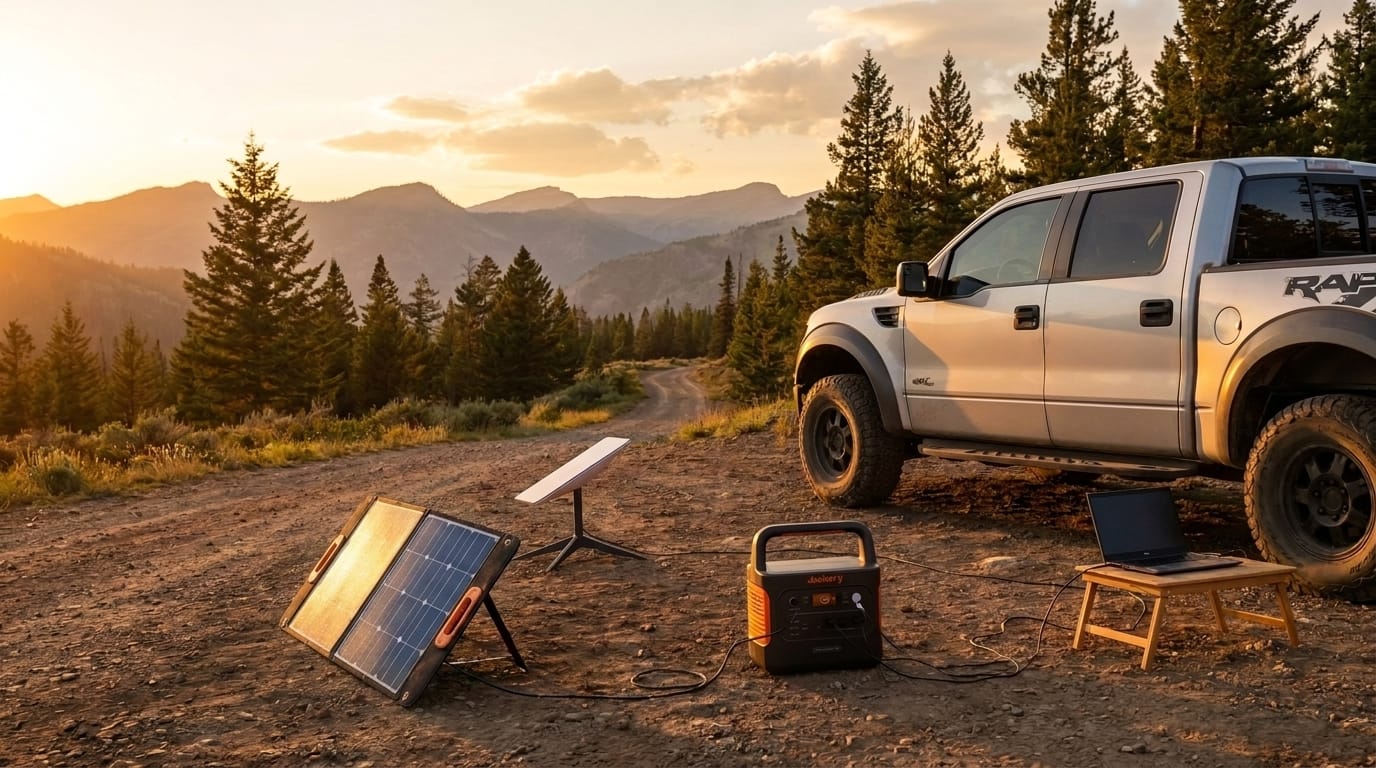
Here's the number we still brag about: we powered the whole setup — dish, router, and a laptop — off a Jackery solar generator with a panel, and it ran 72 hours nonstop, right up until we packed out and drove home. No generator, no engine idling, no outlet. Just a power station topping back up off the sun during the day.
That combo is the actual unlock. Starlink alone gets you connectivity; Starlink plus a solar-fed power station gets you a genuine off-grid office. If you want the power half of that equation, it's the same setup in our overlanding gear we actually run write-up.
For sizing the panel side of that setup, see our portable solar panel guide.
Bottom line
If you work remotely and you've been telling yourself you can't take the trip because you'd be off-grid — you can. We ran a full software-engineering workday from a forest in Idaho on a standard Starlink dish and a solar-charged battery, for three days straight, and the work never noticed. For a lot of remote jobs, that quietly removes the last excuse to stay home.
🔥 Live deals, updated daily
Prices on the gear we test move constantly. We track current discounts on starlink for remote work: we ran a full dev workday off-grid in idaho and the rest of our tested kit and refresh them every morning.
See today’s live deals →Related guides
- Overland power guide: the full cluster in one place
- Portable power stations
- Portable solar panels
- Power inverters
Get the gear that holds up
New guides, hands-on reviews as they land, and real deals, about once a week. No spam, unsubscribe anytime.